Card
<lynk-card> | LynkCard
Cards can be used to group media with related subjects into a container.
<lynk-card class="card-overview">
  <img
    slot="image"
    src="https://picsum.photos/300/200"
  />
  <lynk-stack gap="8px">
    <strong>I'm a card!</strong>
    This is a card with a nice image. If you don't like the image hit refresh.
    <small>6 weeks old</small>
  </lynk-stack>

  <div slot="footer">
    <lynk-button size="small">More Info</lynk-button>
  </div>
</lynk-card>

<style>
  .card-overview {
    max-width: 300px;
  }

  .card-overview small {
    color: var(--lynk-color-neutral-500);
  }

  .card-overview [slot='footer'] {
    display: flex;
    justify-content: space-between;
    align-items: center;
  }
</style>
Examples
Basic Card
Basic cards aren’t very exciting, but they can display any content you want them to.
<lynk-card class="card-basic">
  This is just a basic card. No image, no header, and no footer. Just your content.
</lynk-card>

<style>
  .card-basic {
    max-width: 300px;
  }
</style>
you can also have a card display just an image
Card with Header
Headers can be used to display titles and more.
<lynk-card class="card-header">
  <div slot="header">
    Header Title
    <lynk-icon-button name="gear" label="Settings"></lynk-icon-button>
  </div>

  This card has a header. You can put all sorts of things in it!
</lynk-card>

<style>
  .card-header {
    max-width: 300px;
  }

  .card-header [slot='header'] {
    display: flex;
    align-items: center;
    justify-content: space-between;
  }

  .card-header h3 {
    margin: 0;
  }

  .card-header lynk-icon-button {
    font-size: var(--lynk-font-size-medium);
  }
</style>
Card with Footer
Footers can be used to display actions, summaries, or other relevant content.
<lynk-card class="card-footer">
  This card has a footer. You can put all sorts of things in it!

  <div slot="footer">
    <lynk-button color="primary">Preview</lynk-button>
  </div>
</lynk-card>

<style>
  .card-footer {
    max-width: 300px;
  }

  .card-footer [slot='footer'] {
    display: flex;
    justify-content: space-between;
    align-items: center;
  }
</style>
Images
Cards accept an image slot. The image is displayed atop the card and stretches to fit.
<lynk-card class="card-image">
  <img
    slot="image"
    src="https://picsum.photos/300/200"
  />
  This card has a pretty picture!
</lynk-card>

<style>
  .card-image {
    max-width: 300px;
  }
</style>
Sizing
Use the size attribute to change the card’s size.
<lynk-stack>
  <lynk-card size="small">
    This is a small card. Small font, small padding.
    <div slot="footer">
      <lynk-button size="small">More Info</lynk-button>
    </div>
  </lynk-card>
  <lynk-card size="medium">
    This is a medium card. Medium font, standard padding.
    <div slot="footer">
      <lynk-button size="small">More Info</lynk-button>
    </div>
  </lynk-card>
  <lynk-card size="inherit">
    This is the default card. It will inherit the font size and use the standard padding.
    <div slot="footer">
      <lynk-button size="small">More Info</lynk-button>
    </div>
  </lynk-card>
  <lynk-card size="large">
    This is a large card. Large font and large padding.
    <div slot="footer">
      <lynk-button size="small">More Info</lynk-button>
    </div>
  </lynk-card>
</lynk-stack>
Appearance
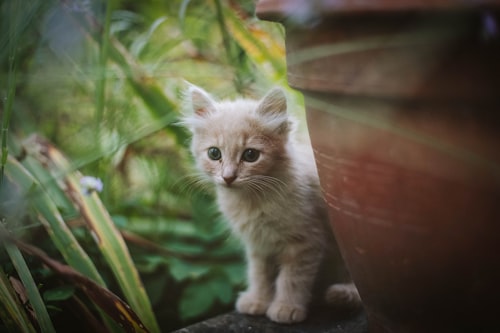
Use the appearance attribute to change the card’s visual appearance.
 Outlined (default)
Outlined filled
Plain
Filled
Accent
Outlined (default)
Outlined filled
Plain
Filled
Accent
<lynk-auto-grid>
  <lynk-card>
    <img
      slot="media"
      src="https://images.unsplash.com/photo-1559209172-0ff8f6d49ff7?ixlib=rb-1.2.1&ixid=eyJhcHBfaWQiOjEyMDd9&auto=format&fit=crop&w=500&q=80"
      alt="A kitten sits patiently between a terracotta pot and decorative grasses."
    />
    Outlined (default)
  </lynk-card>
  <lynk-card appearance="outlined filled">
    <img
      slot="media"
      src="https://images.unsplash.com/photo-1559209172-0ff8f6d49ff7?ixlib=rb-1.2.1&ixid=eyJhcHBfaWQiOjEyMDd9&auto=format&fit=crop&w=500&q=80"
      alt="A kitten sits patiently between a terracotta pot and decorative grasses."
    />
    Outlined filled
  </lynk-card><lynk-card appearance="plain">
    <img
      slot="media"
      src="https://images.unsplash.com/photo-1559209172-0ff8f6d49ff7?ixlib=rb-1.2.1&ixid=eyJhcHBfaWQiOjEyMDd9&auto=format&fit=crop&w=500&q=80"
      alt="A kitten sits patiently between a terracotta pot and decorative grasses."
    />
    Plain
  </lynk-card><lynk-card appearance="filled">
    <img
      slot="media"
      src="https://images.unsplash.com/photo-1559209172-0ff8f6d49ff7?ixlib=rb-1.2.1&ixid=eyJhcHBfaWQiOjEyMDd9&auto=format&fit=crop&w=500&q=80"
      alt="A kitten sits patiently between a terracotta pot and decorative grasses."
    />
    Filled
  </lynk-card><lynk-card appearance="accent">
    <img
      slot="media"
      src="https://images.unsplash.com/photo-1559209172-0ff8f6d49ff7?ixlib=rb-1.2.1&ixid=eyJhcHBfaWQiOjEyMDd9&auto=format&fit=crop&w=500&q=80"
      alt="A kitten sits patiently between a terracotta pot and decorative grasses."
    />
    Accent
  </lynk-card>
</lynk-auto-grid>
Image Aspect Ratio
Use the aspect-ratio property to change the card image dimensions. By default the aspect ratio
is 16:9.
<lynk-auto-grid min-size="7rem" auto-size="fill">
  <lynk-card aspect-ratio="16:9">
    <img
      slot="image"
      src="https://picsum.photos/300/200"
    />
    16:9 (Default)
  </lynk-card>
  <lynk-card aspect-ratio="4:3">
    <img
      slot="image"
      src="https://picsum.photos/300/200"
    />
    4:3
  </lynk-card>
  <lynk-card aspect-ratio="1:1">
    <img
      slot="image"
      src="https://picsum.photos/300/200"
    />
    1:1
  </lynk-card>
  <lynk-card aspect-ratio="3:4">
    <img
      slot="image"
      src="https://picsum.photos/300/200"
    />
    3:4
  </lynk-card>
  <lynk-card aspect-ratio="9:16">
    <img
      slot="image"
      src="https://picsum.photos/300/200"
    />
    9:16
  </lynk-card>

</lynk-auto-grid>
Interactive Card
Cards can react to hover and click events by adding the interactive attribute.
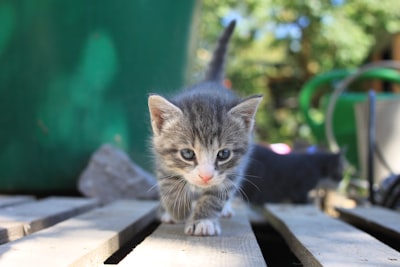 This is a kitten, but not just any kitten. This kitten likes walking along pallets.
<lynk-card class="card-interactive" interactive>
  <img
    slot="image"
    src="https://images.unsplash.com/photo-1547191783-94d5f8f6d8b1?ixlib=rb-1.2.1&ixid=eyJhcHBfaWQiOjEyMDd9&auto=format&fit=crop&w=400&q=80"
    alt="A kitten walks towards camera on top of pallet."
  />
  This is a kitten, but not just any kitten. This kitten likes walking along pallets.
</lynk-card>

<style>
  .card-interactive {
    max-width: 300px;
  }
</style>

<script>
  const card = document.querySelector('.card-interactive');

  card.addEventListener('click', async event => {
    card.active = !card.active;
  });
</script>
Stealth Style Card
Stealth cards are styled to appear more minimalist without a border or background to blend in with the layout unless being interacted with.
<lynk-auto-grid min-size="16rem" auto-size="fill">
  <lynk-card stealth>
    <img
      slot="image"
      src="https://picsum.photos/300/200?random=2"
    />
    This is a normal stealth card with an image.
  </lynk-card>

  <lynk-card stealth interactive>
    <img
      slot="image"
      src="https://picsum.photos/300/200?random=2"
    />
    This is an interactive stealth card. Notice the padding placement change to allow for alternative interactive cues.
  </lynk-card>

  <lynk-card stealth interactive active>
    <img
      slot="image"
      src="https://picsum.photos/300/200?random=2"
    />
    This is an active interactive stealth card.
  </lynk-card>
</lynk-auto-grid>
Card with Above Image Controls
Media cards with previews sometimes need extra information or controls displayed above the image.
<lynk-auto-grid min-size="16rem" auto-size="fill">
  <lynk-card stealth>
    <img
      slot="image"
      src="https://picsum.photos/300/200?random=2"
    />
    <lynk-checkbox checked slot="image-top-start"></lynk-checkbox>
    <lynk-dropdown slot="image-top-end">
      <lynk-button slot="trigger" size="small" square><lynk-icon name="three-dots-vertical"></lynk-button>
      <lynk-menu>
        <lynk-menu-item>Cut</lynk-menu-item>
        <lynk-menu-item>Copy</lynk-menu-item>
        <lynk-menu-item>Paste</lynk-menu-item>
        <lynk-divider></lynk-divider>
        <lynk-menu-item>Find</lynk-menu-item>
        <lynk-menu-item>Replace</lynk-menu-item>
      </lynk-menu>
    </lynk-dropdown>
    <lynk-badge type="neutral" slot="image-bottom-end" >00:24</lynk-badge>
    This is a card with a nice image. If you don’t like the image hit refresh.
  </lynk-card>

  <lynk-card stealth interactive>
    <img
      slot="image"
      src="https://picsum.photos/300/200?random=2"
    />
    <lynk-checkbox checked slot="image-top-start"></lynk-checkbox>
    <lynk-dropdown slot="image-top-end">
      <lynk-button slot="trigger" size="small" square><lynk-icon name="three-dots-vertical"></lynk-button>
      <lynk-menu>
        <lynk-menu-item>Cut</lynk-menu-item>
        <lynk-menu-item>Copy</lynk-menu-item>
        <lynk-menu-item>Paste</lynk-menu-item>
        <lynk-divider></lynk-divider>
        <lynk-menu-item>Find</lynk-menu-item>
        <lynk-menu-item>Replace</lynk-menu-item>
      </lynk-menu>
    </lynk-dropdown>
    <lynk-badge type="neutral" slot="image-bottom-end" >00:24</lynk-badge>
    This is a card with a nice image. If you don’t like the image hit refresh.
  </lynk-card>
</lynk-auto-grid>
Card States
Cards can be styled with status colors using the state property. Accepted values are
primary, danger, warning, success, neutral.
<lynk-stack horizontal>
  <lynk-card state="primary" active> This is a primary state card. </lynk-card>

  <lynk-card state="accent" active> This is an accent state card. </lynk-card>

  <lynk-card state="danger" active> This is a danger state card. </lynk-card>

  <lynk-card state="warning" active> This is a warning state card. </lynk-card>

  <lynk-card state="success" active> This is a success state card. </lynk-card>

  <lynk-card state="info" active> This is an info state card. </lynk-card>

  <lynk-card state="neutral" active> This is a neutral state card. </lynk-card>

  <lynk-card style="--state-color: fuchsia;" active> This is a custom state card. </lynk-card>
</lynk-stack>
Card Pulse State
Draw extra visual attention to an active card by adding the pulse attribute.
<lynk-card state="danger" interactive pulse> This is a pulsing danger state card. </lynk-card>
You can change the speed of the pulse by passing in a custom value to the
--pulse-speed variable. Note that when using a custom --state-color you also need
to set the active property to apply the state color to the border as well.
<lynk-card interactive active pulse style="--state-color: fuchsia; --pulse-speed: 0.5s;">
  This is a custom pulsing card.
</lynk-card>
Importing
If you’re using the autoloader or the traditional loader, you can ignore this section. Otherwise, feel free to use any of the following snippets to cherry pick this component.
To import this component using a bundler:
import '@uplynk/lynk-design/dist/components/card/card.js';
Slots
| Name | Description |
|---|---|
| (default) | The card’s main content. |
header
|
An optional header for the card. |
footer
|
An optional footer for the card. |
image
|
An optional image to render at the start of the card. |
Learn more about using slots.
Properties
| Name | Description | Reflects | Type | Default |
|---|---|---|---|---|
appearance
|
The card’s visual appearance. |
|
'accent' | 'filled' | 'outlined' | 'plain'
|
'outlined'
|
stealth
|
Draws the card without outlines or background except when being interacted with |
|
boolean
|
false
|
size
|
The component’s size. Will be inherited by any descendants with a size attribute. |
|
'small' | 'medium' | 'large' | 'inherit'
|
'inherit'
|
state
|
Draws the card using status colors |
|
'primary' | 'accent' | 'danger' | 'success' | 'warning' | 'info' | 'neutral'
|
- |
interactive
|
Determines whether to style the card on hover |
|
boolean
|
false
|
active
|
Draws the card in a highlighted state |
|
boolean
|
false
|
pulse
|
Pulse the status colors for increased visibility |
|
boolean
|
false
|
aspectRatio
aspect-ratio
|
The image block aspect ratio. |
|
'1:1' | '3:4' | '4:3' | '16:9' | '21:9' | '9:16'
|
'16:9'
|
updateComplete
|
A read-only promise that resolves when the component has finished updating. |
Learn more about attributes and properties.
Custom Properties
| Name | Description | Default |
|---|---|---|
--border-color
|
The card’s border color, including borders that occur inside the card. | |
--border-radius
|
The border radius for the card’s edges. | |
--border-width
|
The width of the card’s borders. | |
--state-color
|
A custom color for the interactive state. | |
--pulse-speed
|
A custom speed for the pulse animation. | |
--padding
|
The padding to use for the card’s sections. |
Learn more about customizing CSS custom properties.
Parts
| Name | Description |
|---|---|
base
|
The component’s base wrapper. |
image
|
The container that wraps the card’s image. |
header
|
The container that wraps the card’s header. |
body
|
The container that wraps the card’s main content. |
footer
|
The container that wraps the card’s footer. |
Learn more about customizing CSS parts.